
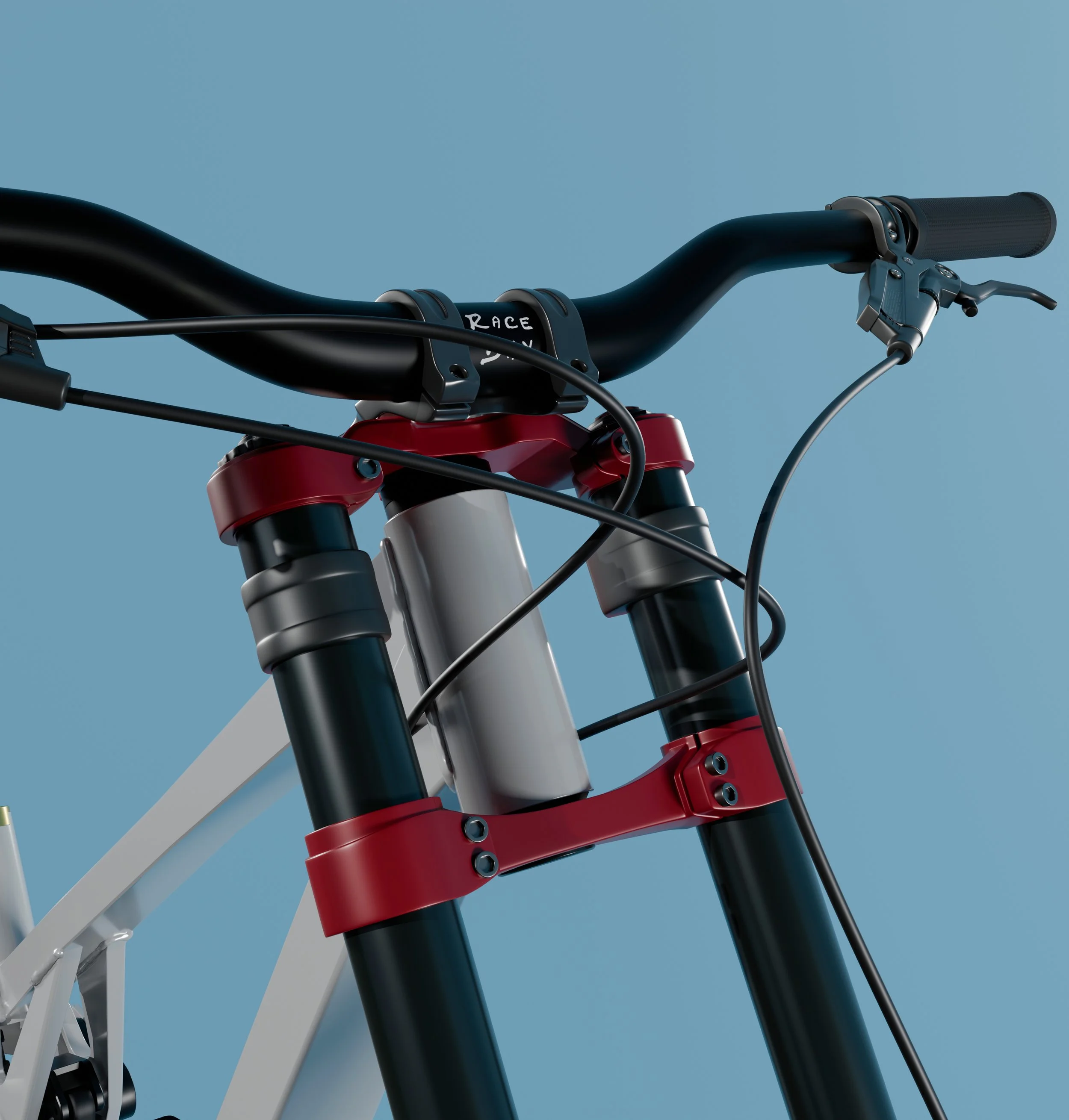

A unique rider experience delivering a true to life bike in a realistic world.
New updates:
Putting a rider on a physics bike
Race Day: Game loop and more
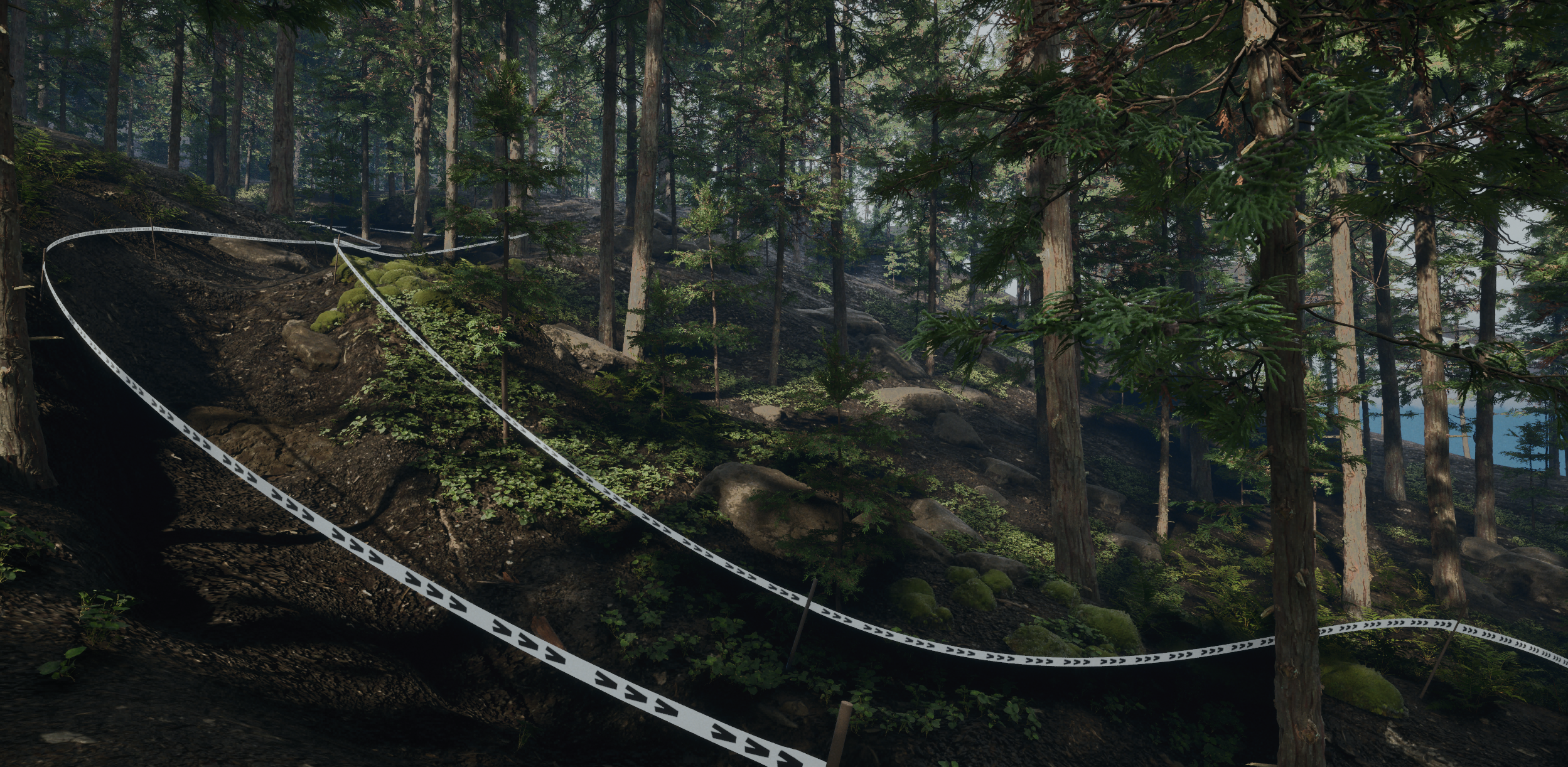
Real-world downhill trail builders don’t start with a blank slope and a plan. They walk the hill first, often many times, reading how the ground falls, where the rocks, roots, and trees are. The line comes from the land, a big fir becomes the anchor for a berm, a natural rollover becomes a drop. The best trails feel inevitable because they were found, not forced.
I build the trails for Race Day in a similar way. I sculpt natural terrain first and fill it with trees and no trail planned. Then I walk the slope in third person placing markers . Only after the line is walked and marked do start to sculpt the trail. The jumps, the tight gaps between trunks, and the way the ground drops away all come from the terrain itself.
Custom Suspension Solver
Most bike games fake suspension. The wheel moves up and down on a spring the engine provides, the numbers get nudged until it looks right, and the shock on screen is just decoration. I wanted the opposite: the suspension should behave the way it does because of physics and geometry.
So I wrote my own solver.
Two bodies, one axis
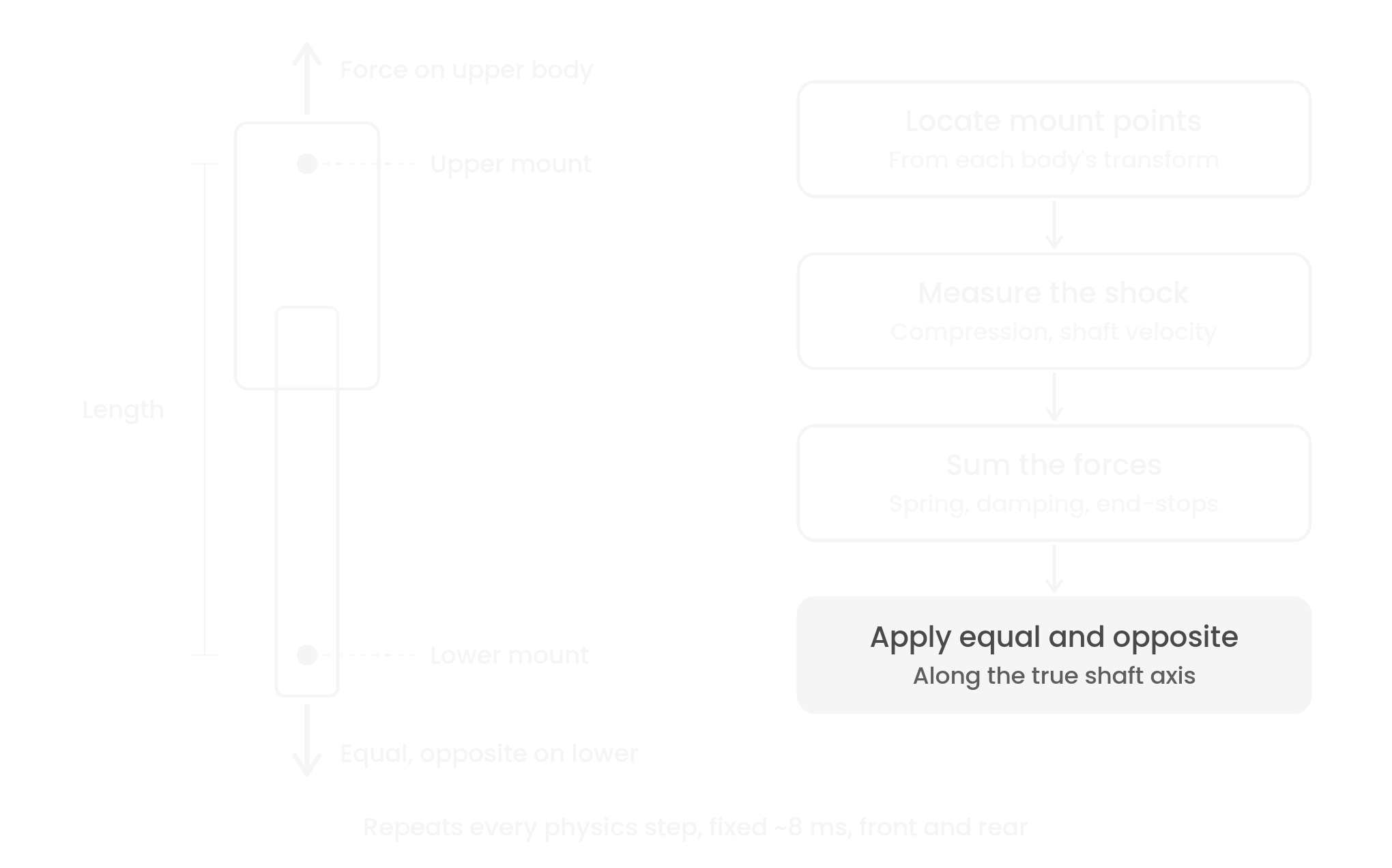
The rear shock and the fork are each modeled as two separate rigid bodies that slide against each other. On every physics step, at a fixed rate of roughly 8 milliseconds on a dedicated physics thread, the solver finds the real-world position of each mount point and measures the distance between them. That distance is the suspension's compression. Nothing is animated or keyframed. If the shock is compressed, it's because something physically pushed it there.
From those two points the solver calculates everything a real damper responds to: how far it's compressed, how fast the shaft is moving (including velocity from the bodies rotating, not just translating), the spring force, the damping force, and the progressive resistance at top-out and bottom-out. The resulting force is applied along the shaft's true axis, equal and opposite on both bodies. That last detail matters. Push only one side and the bike quietly gains momentum from nowhere. Real suspension can't do that, so mine doesn't either.
Because the timestep is fixed, the suspension behaves identically at 30 frames per second and at 120.
The linkage does the work
On the rear, the wheel doesn't talk to the shock directly. It drives a multi-link rear end: swingarm, seatstay, rocker, and the shock itself are all separate physical bodies joined at pivots. The leverage ratio, meaning how much the shock compresses per unit of wheel travel, isn't a value I typed in. It comes out of the linkage geometry, and I measure it by sweeping the wheel through its travel. The curve is progressive, getting firmer deeper in the stroke, which is how a downhill bike should behave. When the geometry changes, the bike's behavior changes with it, the same way it would on a real frame.
Real numbers, real units
The rear spring runs a real coil rate of 350 lb/in. The fork has a full 203 mm of travel. Sag, the amount the suspension settles under load, is checked against the targets real downhill riders set up for. Every conversion between real units and engine units is explicit and documented.
My rule: never tune a correct value to hide a wrong one. If the bike sits too high, I don't soften a spring I know is right. I find the real error, whether it's a pivot in the wrong place or a part that weighs too much, and fix that instead.
One solver, both ends
Front and rear run through the same parameterized solver. The fork and shock differ only in the physical values they're given: lengths, travel, spring rate, damping. Same math, different hardware, just like on a real bike.
What's next
Right now spring and damping forces are linear. The next stage replaces them with full force curves: a progressive air-spring curve on the fork, and speed-sensitive damping with separate compression and rebound behavior. The solver was built to accept those curves without structural changes. Alongside that, I'm correcting component masses to real-world values so the wheels can track terrain as quickly as the real thing.
Bike Design
Inspired by real world bike designs.
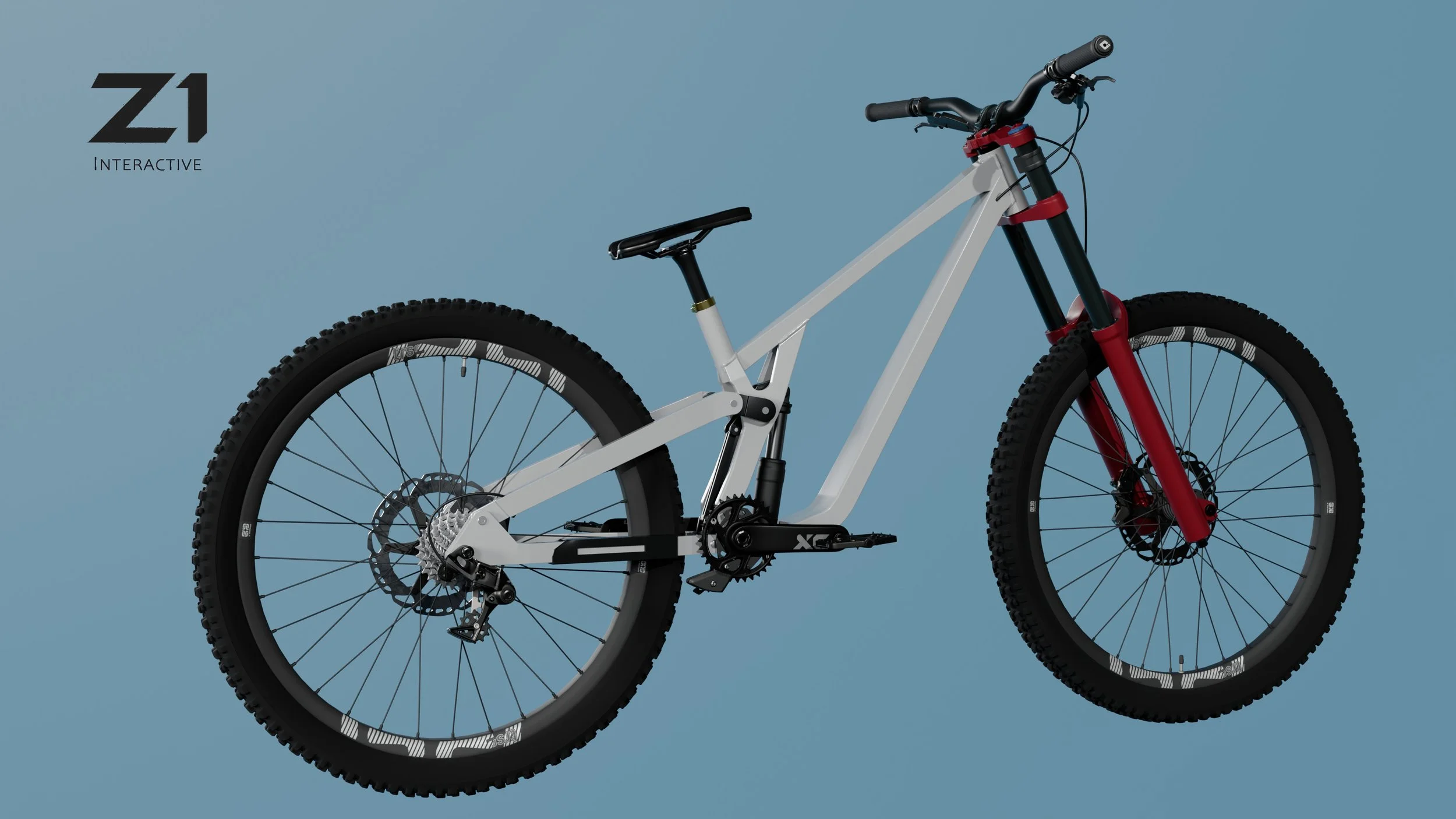
6‑Bar Linkage
The rear axle sits on the chainstay, with the seatstay acting as a separate member that drives the upper link.
A pair of compact links connect the front triangle to the seatstay, creating the bike’s 6‑bar motion.
A dedicated shock‑actuation link controls leverage rate independently of axle path and braking behavior.
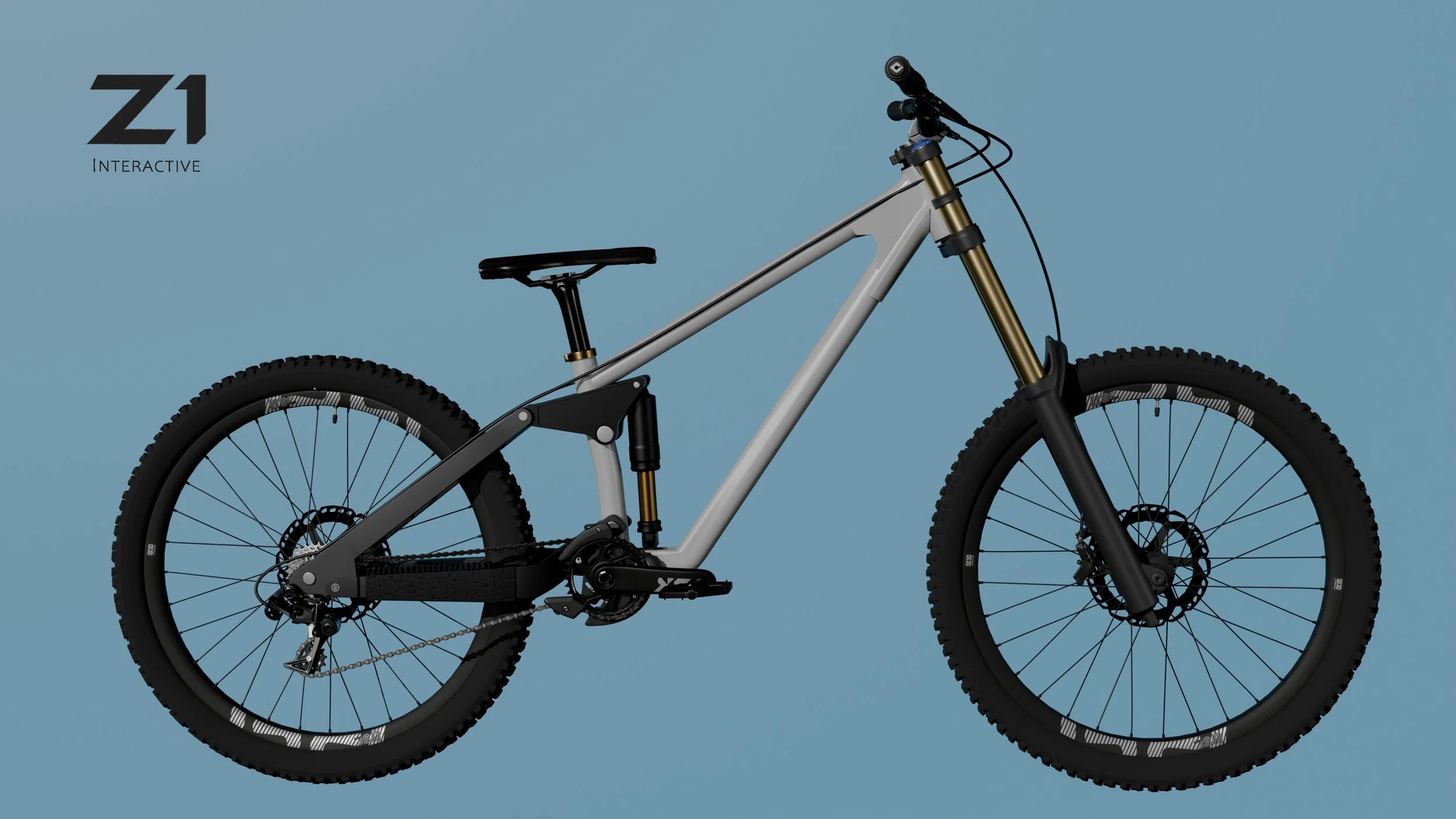
4-Bar Linkage
The primary advantage of this configuration in a gravity-oriented setting is the precise control over the axle path. A four-bar system allows the rear wheel to move more vertically during the initial phase of an impact. This helps the bike maintain momentum over square-edged hits like rocks and roots.
Active Braking: By placing the rear brake and wheel mount on the seatstay instead of the swingarm, the system minimizes "brake squat." This ensures the suspension remains supple and active.
Anti-Squat Tuning: The genometry of the four bars allows designers to optimize pedaling efficiency. The linkage can be tuned to resist bobbing during heavy pedaling while remaining completely free to absorb large hits.
Progressive Leverage Ratio: The arrangement of the links provides a "rising rate" leverage curve. This means the suspension becomes harder to compress as it gets deeper into its travel, providing the necessary bottom-out resistance for large drops and high speed compressions.
The Hierarchy of Force
Here, ‘parent’ and ‘child’ refer to how force moves through the linkage, not the transform parenting used in game development. Think of it as a chain reaction of energy. The ground hits the tire, and that energy has to go somewhere.
For a 6‑bar linkage
The Primary Parent: The Wheel. It receives the impulse from the ground.
The Transmission: L3 (Chainstay) pulls L1, which pushes L6, which pushes L5.
The Ultimate Child: The Shock (C1). It sits at the very end of the line, waiting to turn all that kinetic energy into damping.
Movement of a 6-bar linkage.
Bike Systems Examples
Blending Air and Ground Controls
A state‑blending framework that smoothly transitions the bike’s stabilization logic between ground mode and air mode. Instead of snapping between two modes, the system uses a combination of ground detection, hysteresis, and interpolation to produce a stable, predictable blend value that all stabilization subsystems can rely on.
At its core, the system:
Detects when the bike is grounded, airborne, or transitioning
Applies hysteresis thresholds to prevent rapid flickering between states
Generates a smoothed AirBlendAlpha value (0 → 1)
Uses that alpha to blend PID gains, torque scaling, and air‑only logic
This ensures that roll, pitch, and yaw stabilizers behave naturally during takeoff, airtime, and landing without sudden spikes or jitter.
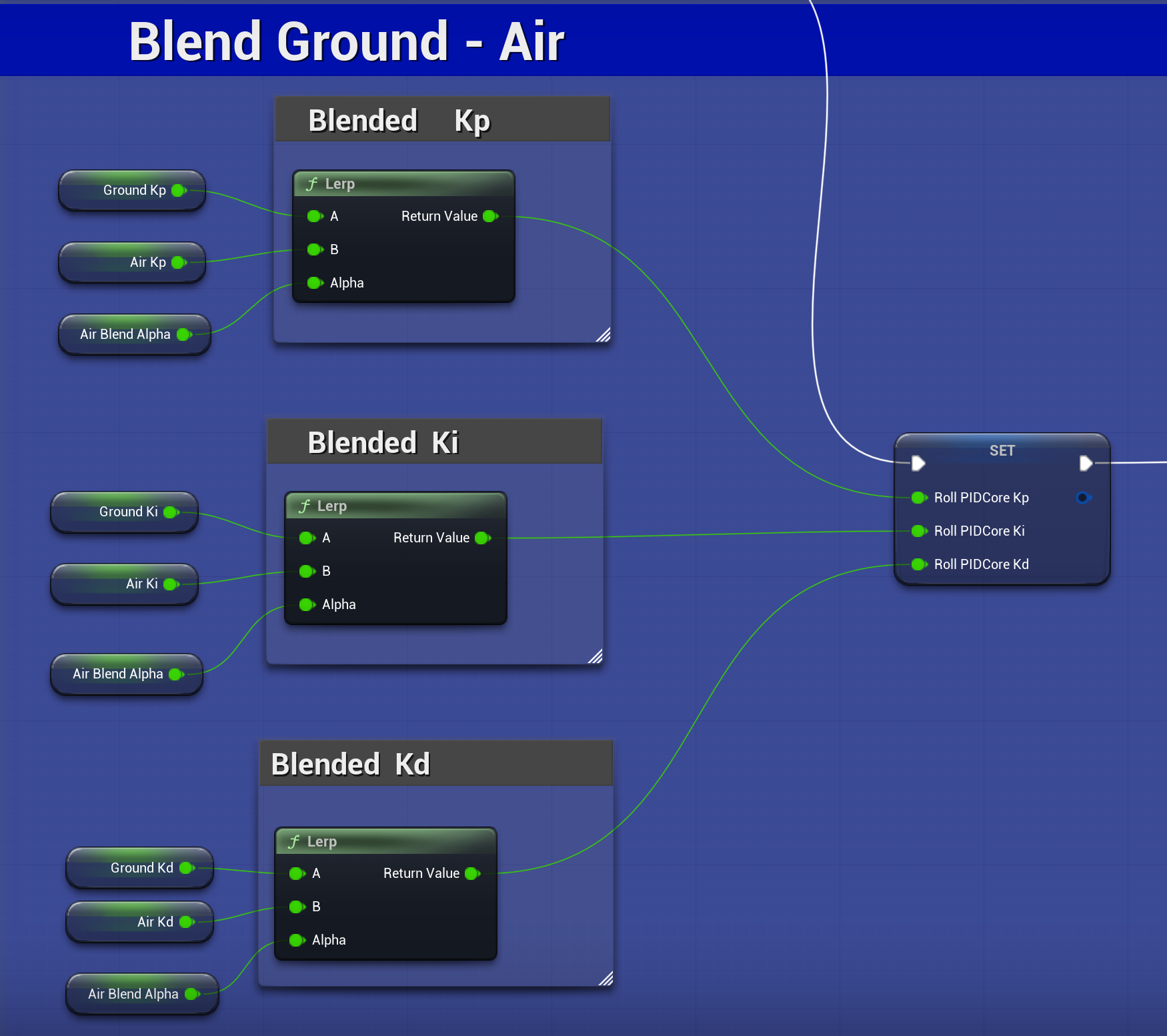
An example of blending Air Blend Alpha with the PID gains.
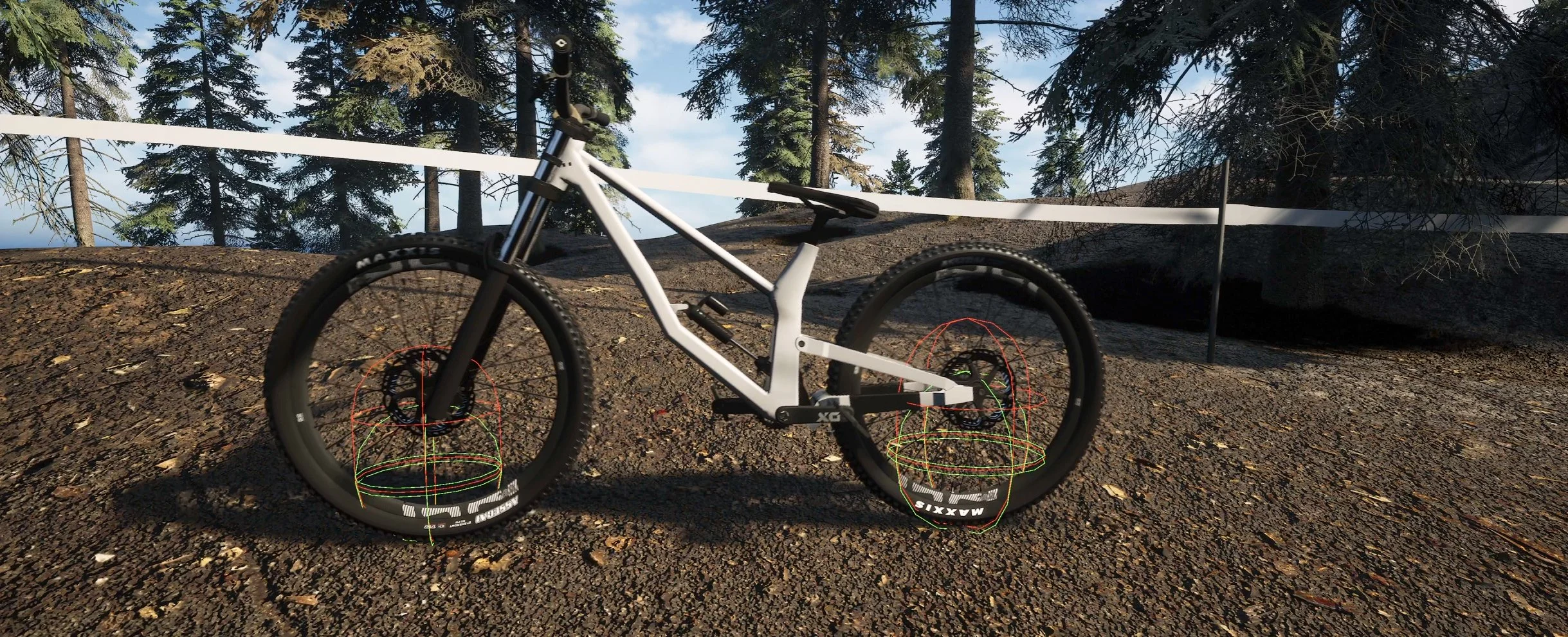
Screen capture from simulation showing the contact points. The green indicates the system is on the ground.
P.I.D. Controller
A PID (Proportional–Integral–Derivative) controller is a feedback control system used to continuously correct error between a desired state and the current state. In the context of a physics based bike simulation, it is used to stabilize roll (keeping the bike upright) and to control lean.
Core Concept
At every frame, the controller calculates an error value:
Error = Desired Roll − Current Roll
It then applies corrective torque based on three components:
Proportional (P): Responds to the current error.
Larger error → stronger corrective torque
This is the primary force that pushes the bike toward the desired roll angle.
Integral (I): Accumulates error over time.
Helps eliminate small persistent offsets
Often minimized or disabled in real-time physics systems to avoid instability.
Derivative (D): Responds to the rate of change of error.
Dampens motion and reduces overshoot
Acts like “resistance” to rapid rotation.
The final output is a torque applied to the bike’s frame:
Torque = P + I + D
Roll Stabilization
For stabilization, the desired roll is typically 0° (upright).
The PID continuously monitors the bike’s roll angle.
If the bike begins to tip, the controller applies torque in the opposite direction.
The result is a self-balancing system that resists falling.
Key Behavior
Small tilt → small correction
Large tilt → aggressive correction
Fast tipping → damping force reduces oscillation
This creates a stable baseline where the bike naturally wants to return to upright.
Ideal for Bike Physics
Continuous correction: Works every frame with physics simulation
Physically believable: Uses torque instead of directly setting rotation
Highly tunable: Gains (P, I, D) can be adjusted for responsiveness vs stability
Unified system: Handles both balance and leaning with the same controller
Realistic Feel: Lean transitions feel weighted and responsive
Practical Notes
Use radians internally for consistency with physics calculations
Derivative should be based on measured angular velocity, not error delta
Start with:
High P for responsiveness
Moderate D for damping
I = 0 initially to avoid instability
Clamp maximum torque to prevent explosive behavior
Apply torque on the correct roll axis of the bike frame
A PID controller allows the bike to behave like a real physical system:
It automatically balances when no input is given
It leans smoothly when the rider provides input
It stabilizes motion without removing the natural feel of physics
This makes it a foundational component for realistic bike handling.
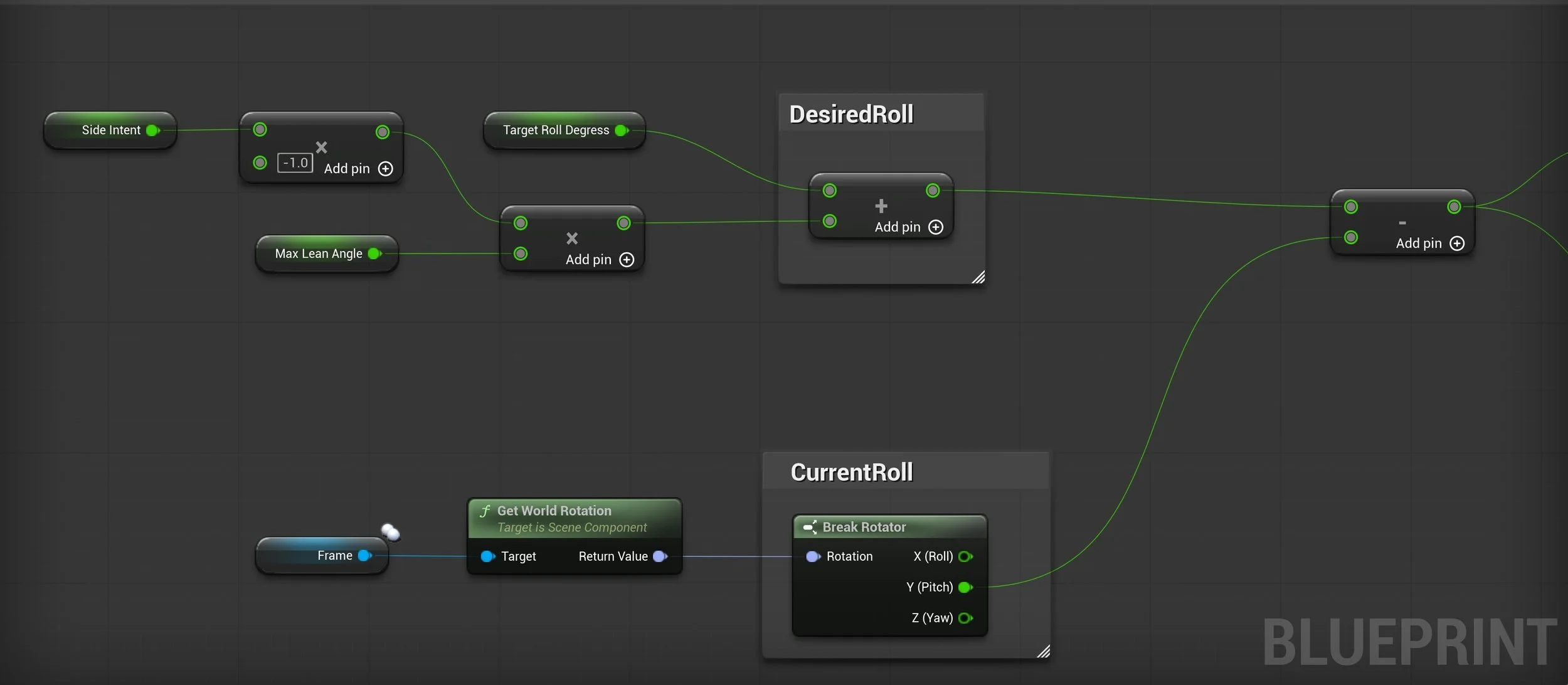
An example of a basic roll error calculation.